⚡ Tutorial: Your First Quiz
This guide will walk you through the entire process of creating and hosting your first quiz on TriviaFlow.
Prerequisites
- You have deployed TriviaFlow (or running locally).
- You have created an Admin Superuser.
Step 1: Upload Images (Optional)
TriviaFlow uses a Central Media Library. Before writing questions, it's best to upload your assets.
- Log in to the Admin Panel (
/admin/). - Click on Image Library (under
Quiz). - Click Add Image +.
- Upload a file (e.g., a movie poster) and give it a title like "poster_matrix".
- Click Save.
Step 2: Create the Quiz
- Go back to the Home dashboard.
- Click on Quizzes.
- Click Add Quiz +.
- Title: "Movie Night Trivia".
- Description: "A fun test of our film knowledge."
- Click Save and continue editing.
Step 3: Add Questions
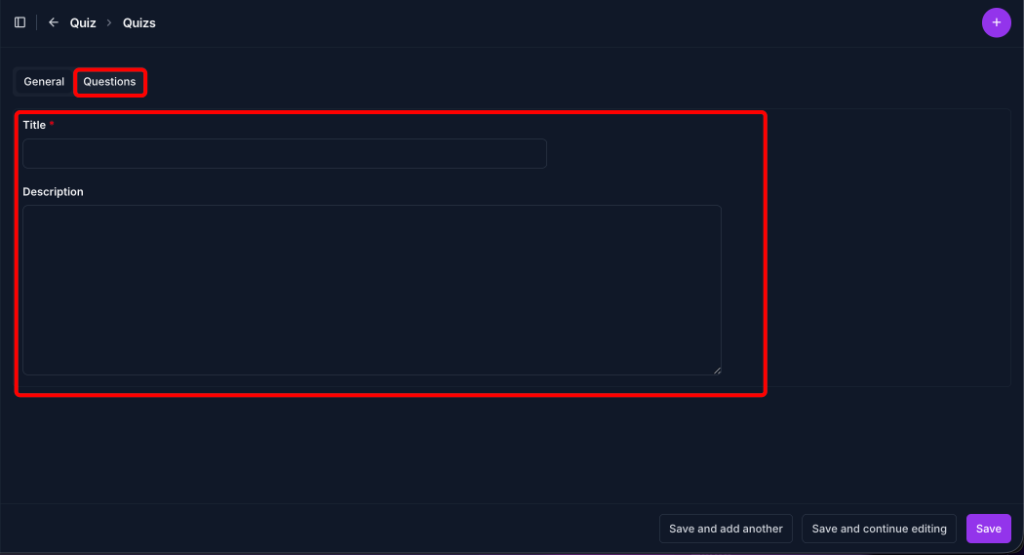
- Click the "Questions" tab at the top of the form (next to "General").
- Use the inline editor to add questions.
Question 1: Text Only
- Text: "Who directed the movie 'Jaws'?"
- Options:
- A: George Lucas
- B: Steven Spielberg
- C: James Cameron
- D: Ridley Scott
- Correct: Select B.
- Duration: 20 (seconds).
Question 2: With Image
- Text: "Which movie is this poster from?"
- Image: Click the dropdown and select the "poster_matrix" image you uploaded earlier.
- Options:
- A: The Matrix
- B: Inception
- C: Tron
- D: Blade Runner
- Correct: Select A.
Click Save at the bottom of the page.
Step 4: Launch the Game
Now it's time to play!
- Go to the main site URL (e.g.,
https://quiz.your-domain.com). - Click Create Game.
- Select Movie Night Trivia from the list.
- Click Start Game.
The Lobby Screen will appear with a QR Code.
Step 5: Join & Play
- Take your smartphone.
- Scan the QR Code on the screen.
- Enter your nickname (e.g., "Neo").
- Host Control: On your separate computer (or in a new tab), go to
/gamemaster/and enter the 4-letter room code. - On the Gamemaster Dashboard, click Start Game!
🎉 Congratulations! You are running your first TriviaFlow session.